
eSIMs are a global product by design, but most stores treat them as local products. As digital products, eSIMs are purely digital, eliminating manufacturing and logistics and imposing no physical distribution constraints. Moreover, the most common buyers of eSIMs are travellers, digital nomads, and remote workers, but very rarely local users; yet many eSIM online stores sell in only one language.
These single-language eSIM stores have already made language the first friction point, before buyers even reach price or coverage details. This is a problem that would result in high bounce rates as soon as visitors land on the site, abandoned checkouts, and multiple support tickets asking basic questions.
With a multilingual eSIM store on WordPress, you can remove the usual trust barriers, improve conversion, and scale your product for global demand. Read on to learn how to create a multilingual eSIM store and why WordPress is ideal for the task.
Why Language Is a Conversion Barrier for eSIM Buyers
eSIMs are not quite the plug-and-play that most people think, despite them being around for a few years now. Users are required to have a decent understanding of multiple stages for successful use. In fact, the most common reason for refunds is chargebacks resulting from a lack of understanding of how to successfully activate eSIMs.
eSIMs often include instructions for activation. The instructions explain the process for iOS and Android devices, whether it should be installed manually or via QR code, and when the activation should happen. Additionally, they provide information about supported devices and coverage limits.
Considering all the information associated with eSIM activation, no one would be willing to buy from a website with a language they don’t understand.
What “Multilingual eSIM Store” Actually Means
Having a multilingual eSIM store is not the same as having Google Translate slapped on website pages. Here are some elements to watch out for when you’re creating a multilingual eSIM store:
- Localized product descriptions: While Google Translate merely translates the text, a localized product description targets the context. For example, “unlimited data” cannot be loosely translated across languages easily, because some regions have capped unlimited plans.
- Translated activation instruction: eSIM activation varies by device (iPhone, Android, and dual-SIM phones). Step-by-step instructions translated into the user’s native language can significantly reduce errors, abandoned activations, and open support tickets. Translation should also include date formats, the setting menu language, and screenshots and diagrams.
- Multilingual checkout and emails: Your website checkout should automatically detect users’ language and handle currency conversion. At the same time, QR codes, confirmation emails, and customer support replies should be provided in localized languages to establish trust and make activation easier for users.
Why WordPress Is Well-Suited for Multilingual eSIM Selling
WordPress offers impressive compatibility for SMBs and e-SIM resellers because of its scalability at a lower cost. WordPress is an impressive tool for businesses that need a professional website without the heavy dev cost. The software offers access to extensive plugins, including WooCommerce and several eSIM-specific extensions that allow easy management of product logic without custom backend development.
Also, WordPress is a global storefront, offering all the tools needed to scale into new regions. With its plugin-driven localization, you can count on the software for reliable product translations, activation guides, and market copy.
Choosing the Right WordPress eSIM Plugin for Multilingual Stores
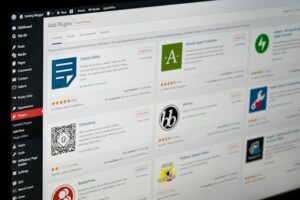
WordPress plugins serve as the backbone for any e-commerce store. So while you need to give higher preference to plugins compatible with translation tools, the right WordPress eSIM plugin should be able to handle key functionalities, which include the following:
- Product delivery: It should be able to deliver activation materials (QR code or activation links) after purchase.
- Order Management: It should track purchases and refunds and provide status updates in the WordPress dashboard.
These are primary features that allow plugins to run a typical e-commerce store. However, for multilingual support, there are additional requirements to consider.
Your eSIM plugin should integrate smoothly with multilingual plugins like WPML and Polylang. Multilingual support becomes easily sorted if the WordPress eSIM plugin passes content correctly to WPML or Polylang. This ensures that all user-facing text, such as product names, activation instructions, system messages, button labels, and checkout pages, must be translatable.
Certain plugins may have text hardcoded inside the plugin, leaving certain pages stuck in one language.
Setting Up WPML for a Multilingual eSIM Store
WPML (WordPress Multilingual Plugin) is considered the industry-wide standard for building multilingual WordPress websites. A solution like this allows eSIM sellers to reach global customers by turning a single-language store into a multilingual storefront.
With WPML, you can run the same WordPress site in multiple languages without creating a separate website. This is possible via three primary mechanisms:
- Language switcher: A user-facing feature that allows visitors to choose their preferred language after the page loads. This usually appears as a dropdown, and if a German lands on your English eSIM page, they can click “Deutsch” to load a language they speak.
- Page, product, and checkout translation: This is the true content layer, where each language has all pages translated, not just mirrored. Here’s an example that shows what a true translation is: If the English page says “Activate after landing. Do not scan early.”, the German version can be rewritten as “Aktivieren Sie die eSIM erst nach der Landung, um eine vorzeitige Aktivierung zu vermeiden.” Translation has to prioritize clarity over just mirroring the sentence it’s translating.
- Structured translation management: A translation management system that lets you handle manual translation within WordPress. You’ll be able to hire professional services if required or assign them to staff.
Set-up Overview
Here are the steps to set up WPML for a multilingual eSIM store:
- Install WPML and its required add-ons like String Translation, and WooCommerce if applicable
- Choose the languages you want your website to support. This is usually a decision influenced by traffic, customer requests, or expansion plans.
- Translate core store content, such as product descriptions, activation instructions, including multilingual checkout and confirmation pages.
- Review all content to make sure that it displays correct in each language.
SEO & Traffic Benefits of a Multilingual eSIM Store

While setting up a multilingual eSIM store significantly improves usability, it also impacts how your site appears in search results. Many monolingual online stores are leaving traffic on the table, despite offering products that meet international buyers’ needs.
Moreover, WPML enables visibility by creating language-specific URLs, so that each translated page is treated as a separate page and indexed by search engines.
Conclusion: A Multilingual eSIM Store Contributes to Growth
eSIMs are global by nature, and a lack of multilingual support is a friction that silently kills conversions. Using the right WordPress eSIM plugin for multilingual support can help you scale into new markets without rebuilding your store. So instead of thinking of a multilingual site as a technical burden, think of it as a revenue unlock.
To scale your multilingual eSIM store, you can reach out to Limitflex for easy white-label eSIM solutions to get you on track for extra revenue. Get in touch at hello@limitflex.com.